 ™
™Everything it does
Nucleum Hub reads what your Home Assistant already has and lays it out for a screen on the wall. Both plans include every feature. Here is the full list, grouped.
Jump to: Rooms and devices · Energy · Media · Blinds, curtains and gates · Security · Car · Climate · Robots · Every screen in sync · 12 languages · Looks · When the network drops · Setup and editing
Rooms and devices
- Pages for the whole house: Home, Lights, Climate, Security, Car, Media and Energy. Add pages of your own, with a name, an icon and a colour. Hide the ones you do not need.
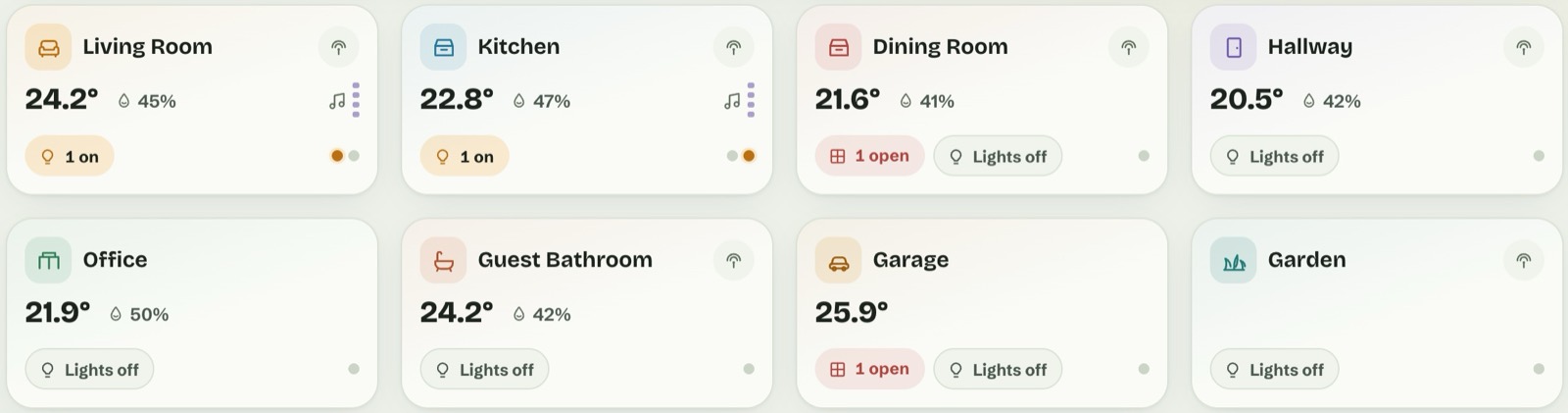
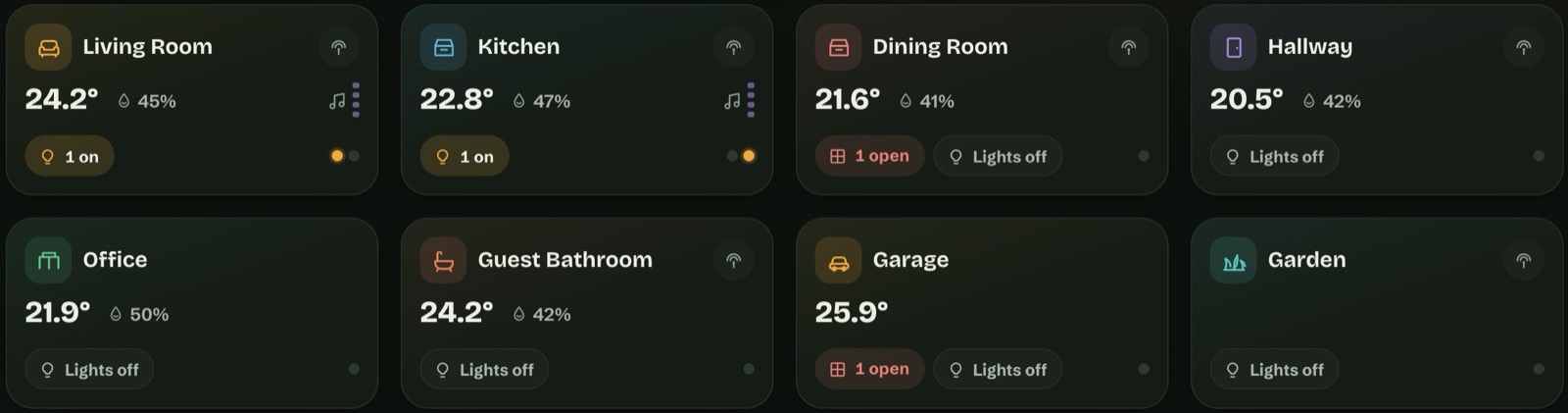
- Room cards that say it in words. “1 open” for a window or door, “3 on” or “Lights off”, “Playing” when music runs there. A dot for each light, in its own colour. Press the lights chip twice to switch every light in the room, after a confirmation.
- Tap a room to open it, with all of its devices and their controls.
- Lights show their colour. A coloured light’s button takes the colour you chose. Set brightness, colour and white from the light’s window.
- Plugs, sensors, temperatures, presence and motion, air quality (CO₂, PM2.5), each in a card you can add, move and resize.
- Ask before acting, where it matters. Each item has “On tap: Automatic / Ask first / No confirmation”. Automatic asks for locks, the alarm, gates, the garage door, the car, scripts, scenes, automations and buttons. The question says what will happen (“Turn off?”), and OK sends exactly that command.
- A top bar you can shape. Greeting, people, status badges (gate, alarm, door, car, weather, CO₂, PM2.5), scenes, guest mode, what is playing, the tablet’s battery and the clock. Each one can be renamed, hidden or pointed at another entity.
- Suggestions and notifications. Home Assistant’s notifications, plus hints such as CO₂ above 1000 ppm, a low battery, a window open while the heating is on, or devices that went unavailable. The card disappears when there is nothing to say.
- Your own photos of your car, robot, air purifier or speakers.
Energy
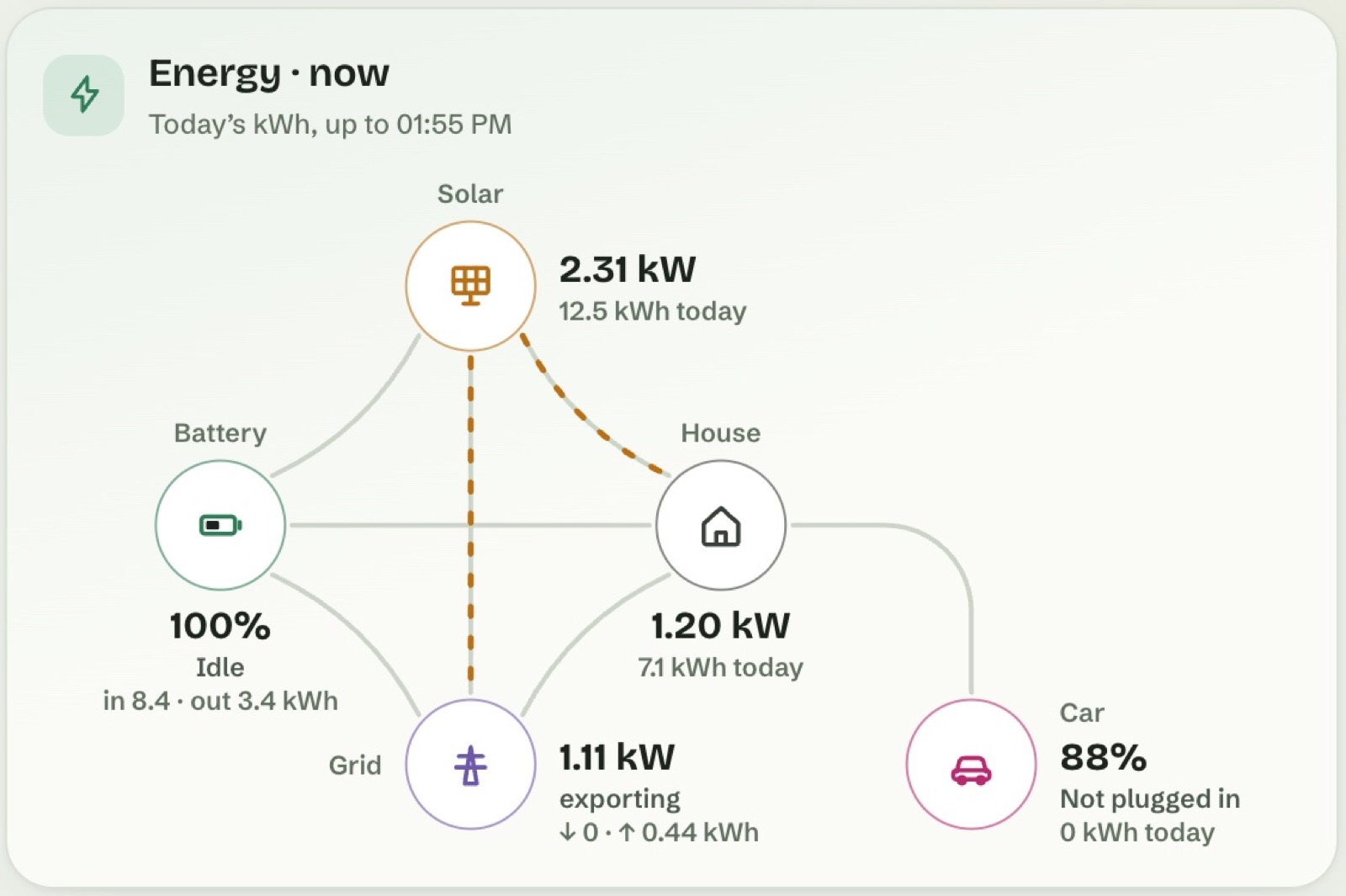
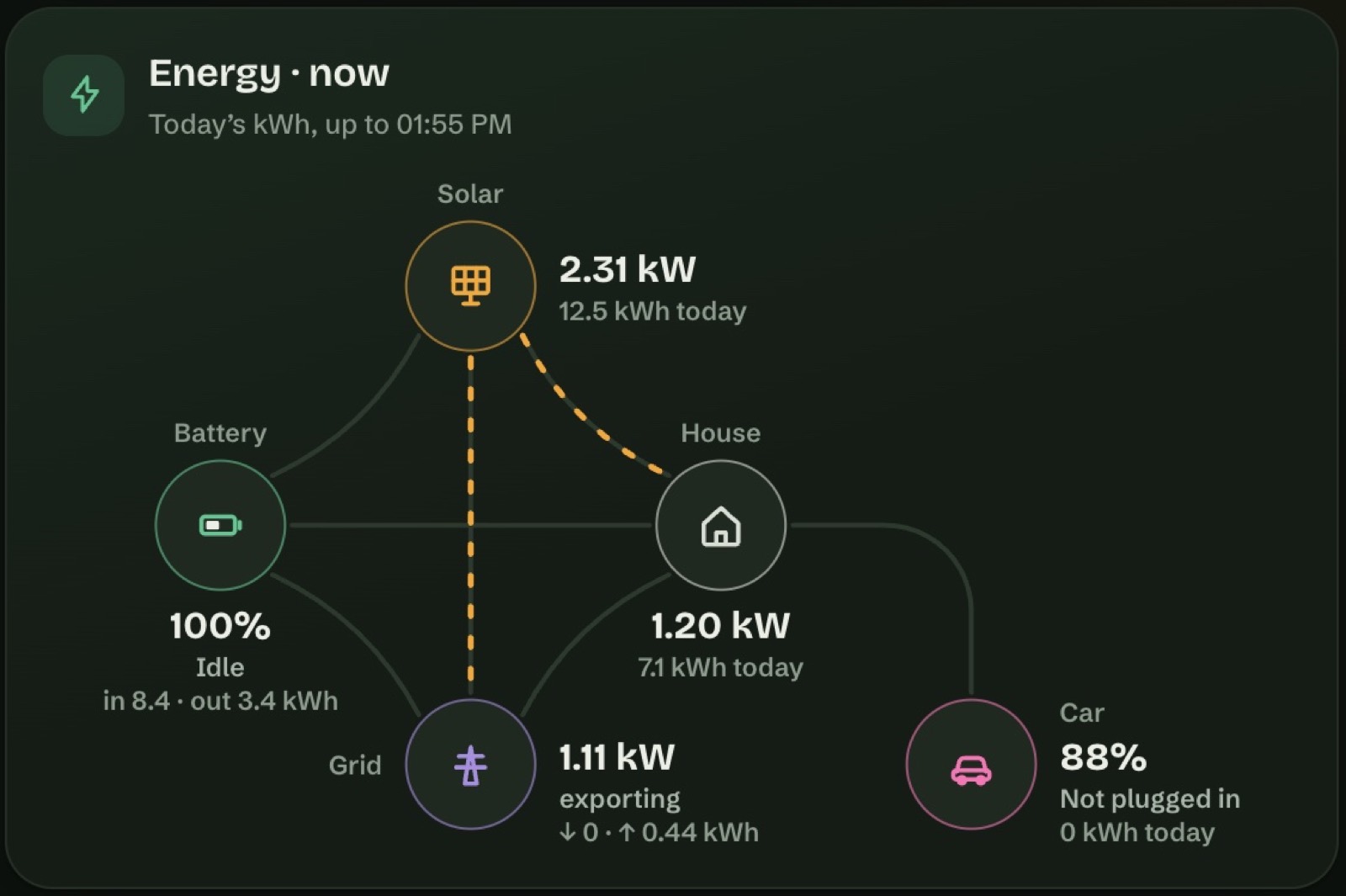
- Energy now, as a flow. Solar, battery, home, grid and electric car, with kW now and kWh today under each. The animated lines show only what is really flowing.
- The same sensors as Home Assistant. Nucleum Hub uses the power sensors from your Home Assistant Energy settings. If there are none, it finds them itself. You can always pick a sensor yourself, and flip the direction of the grid or battery sensor if its sign is the other way round.
- Any period. A day, 7 days, a week, a month or a year, with a calendar for days. The period you choose stays on that screen: a phone does not move the wall tablet’s view.
- Cards for the questions people ask. Now and today, Summary, Balance (what the house used, by source), Power today, Energy breakdown, Solar impact & peak, Month trend, Solar forecast, Sun, Electric car and Costs.
- Today’s figures include the current hour, with “Today’s kWh, up to 10:45” in the card’s heading.
- Money, from Home Assistant first. Costs, export earnings and solar savings come from the cost statistics Home Assistant keeps. Without them, from your fixed price or price sensor. Without any price in Home Assistant, from prices you type, marked “estimated”.
- Electric car. Found through the charger in your Energy settings, or by the names that many car and wallbox integrations use. Charging power, energy added, charge limit, time to full, and how much of each charge came from the sun, worked out hour by hour.
- Solar forecast from the forecast linked in your Energy settings, or from Forecast.Solar or Solcast.
- Only cards your home can fill. No solar, no solar cards. No car, no car card.
Media
- Every player Home Assistant knows, with play and pause, next and previous, volume and seeking. Shuffle and repeat appear on the players that support them.
- Speaker groups. Group and ungroup speakers, with one volume for the group, on players that support grouping.
- Your Music Assistant library: playlists, albums, artists, tracks, radio and favourites, with search. Tap a track in a playlist and the rest of the list follows. Press and hold for more: only this track, play it next, add it to the queue.
- History and queue, to see what played and what comes next.
- “Now playing” on the top bar, following the player you choose.
- What you need: the library, search and playback go through Home Assistant’s Music Assistant integration, on any installation. The full history and queue list also need the Music Assistant add-on on Home Assistant OS and a screen signed in as an administrator; elsewhere the queue shows the current and the next track.
Blinds, curtains and gates
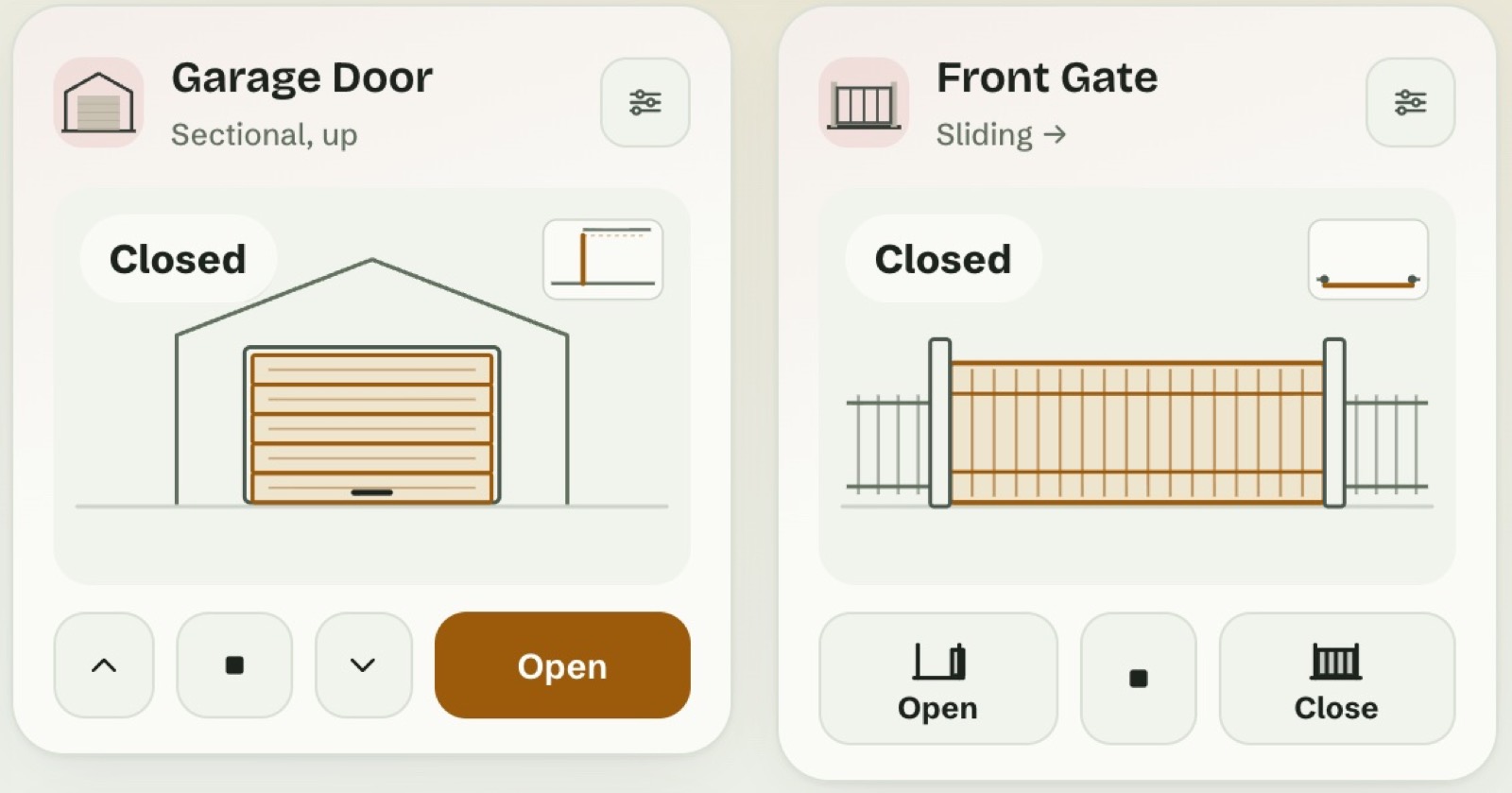
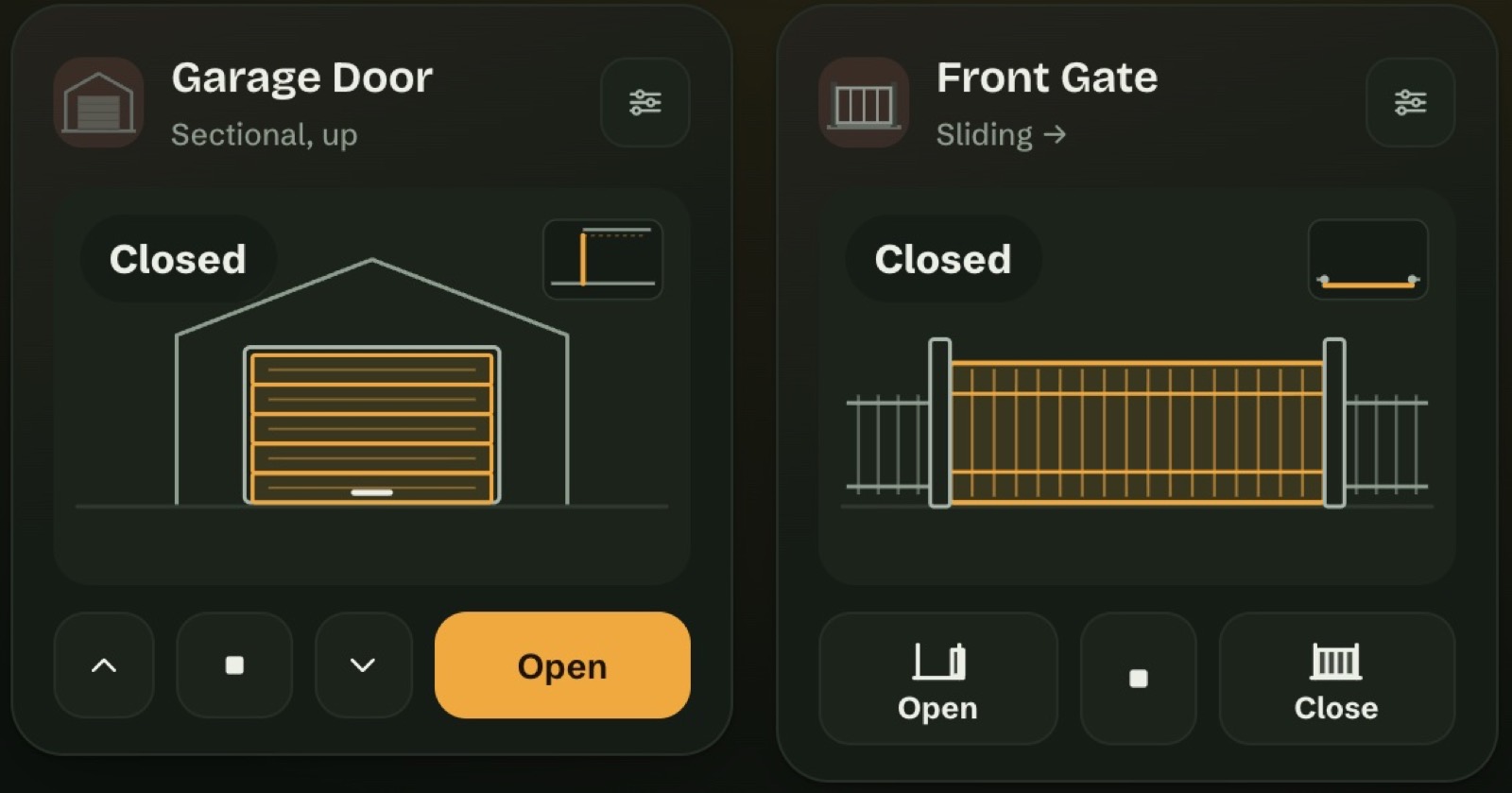
- Drawn moving. Blinds, roller shutters, curtains, awnings, gates, pedestrian gates and garage doors are recognised by their type in Home Assistant. The drawing follows the position the device reports. A device without a position moves for the time you set, from 3 to 180 seconds.
- Pick how each one opens. Blinds: vertical, left to right, right to left or in two parts. Gates: sliding, swing (left, right or double), bifold, or a narrow pedestrian gate. Garage doors: sectional.
- Five styles: Minimal, Illustrated, Isometric, Big icon and Glass, with an opacity setting for Glass. One style for the whole dashboard, or a different one per card.
- Buttons that show where you end up. Open and Close show the end position, drawn, with the word.
- A card for each gate and garage door on the Security page. Gates and garage doors ask before they move.
Security
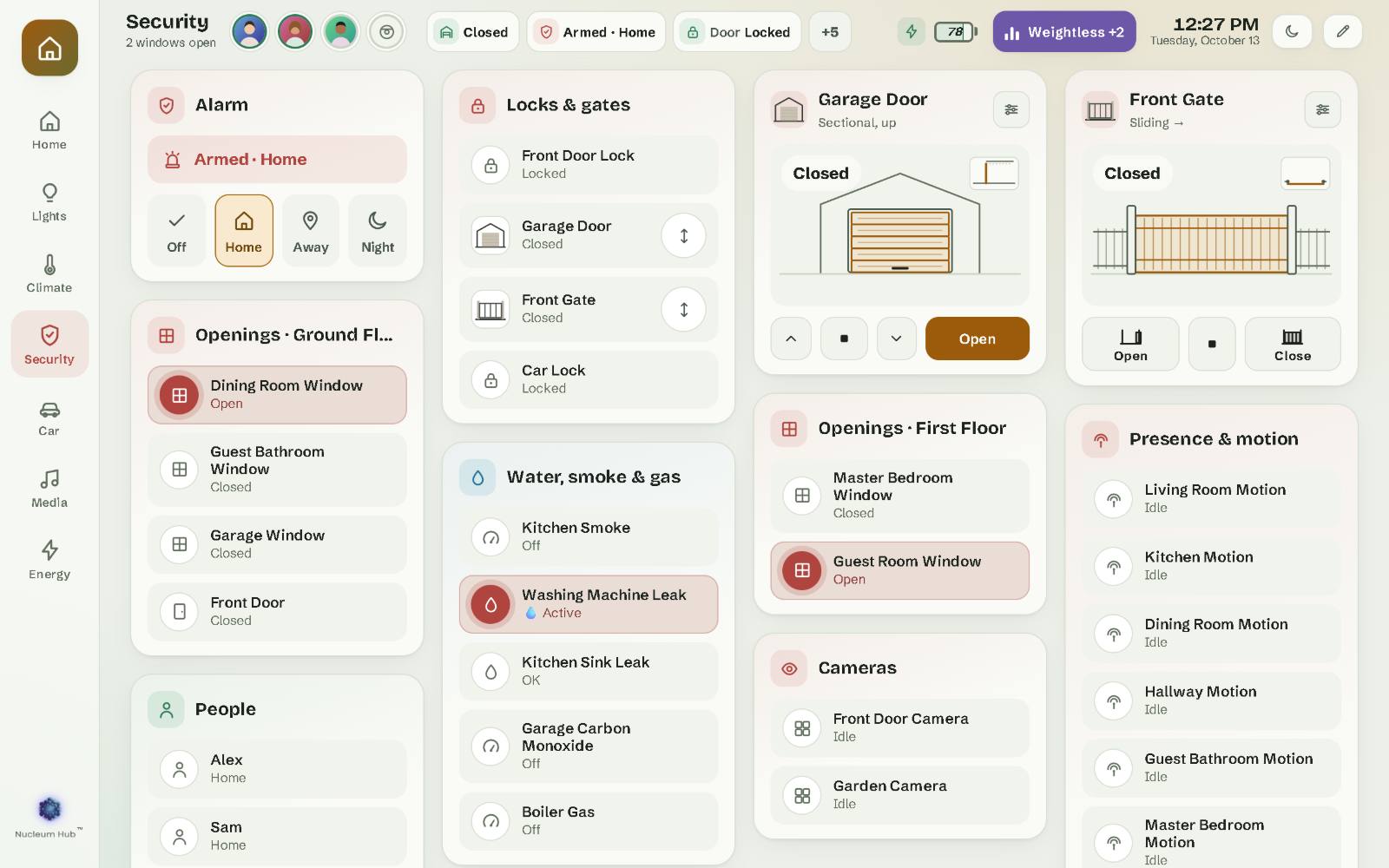
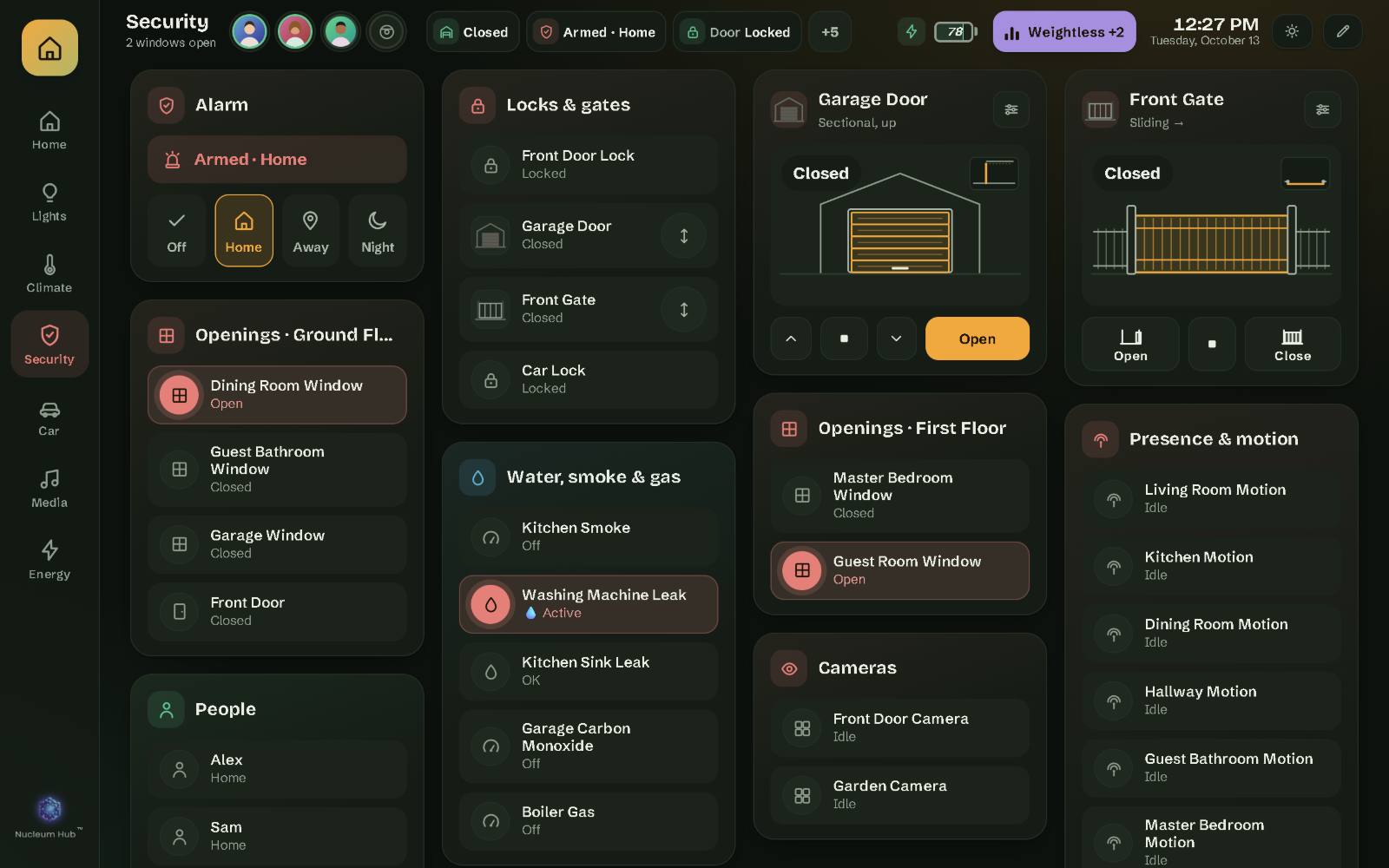
- Alarm panel with your code, the way your Home Assistant alarm asks for it. Each mode has its colour.
- Locks and gates, doors and windows, presence and motion.
- Cameras, with their picture, through Home Assistant.
- Water, smoke and gas sensors in their own card.
- Your home never depends on the licence. Without one, Nucleum Hub shows only its activation screen, but the alarm, locks, gates and lights keep working in Home Assistant and its app.
Nucleum Hub shows and controls what Home Assistant controls. It does not replace your alarm keypad or your key. Keep both.
Car
- A car page with a picture of your car (add your own photo), its doors, boot and bonnet, tyre pressures, lock, fuel or battery, range and mileage.
- Climate for the car, with the modes your car reports.
- Lock and unlock from the top bar, after a confirmation. Press and hold to open the car page.
- Not tied to one brand. Nucleum Hub finds each part of the car by its role, not by one brand’s names. Range shows in your car’s unit, km or miles.
Climate
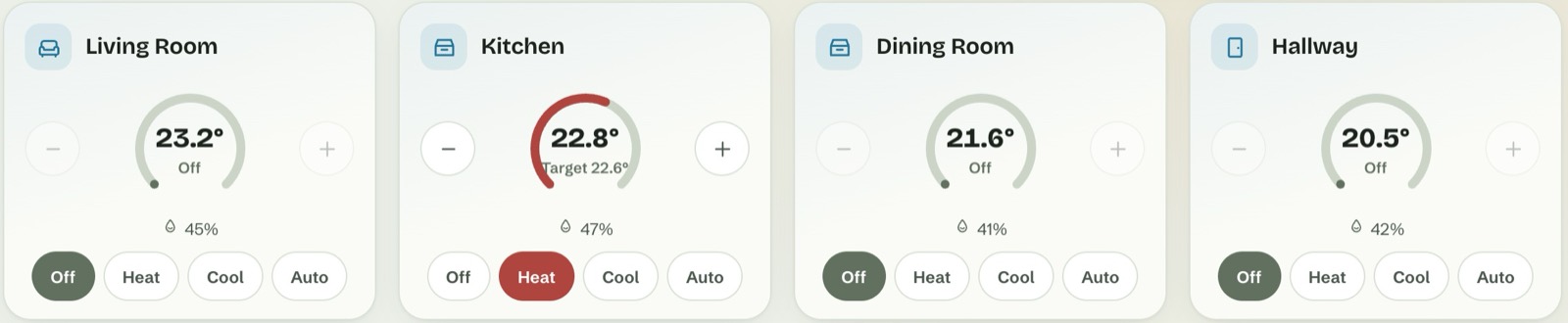
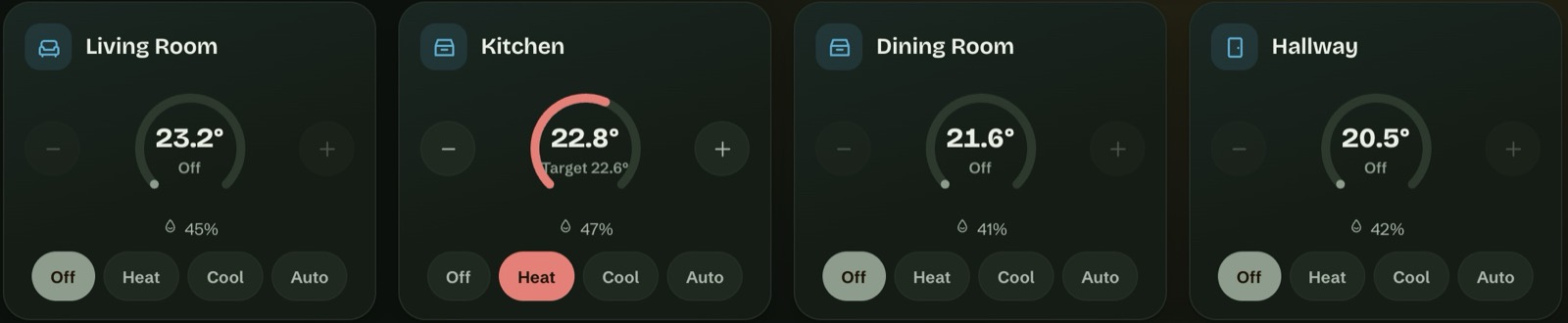
- Thermostats in clean steps: 20 → 20.5 → 21 °C, or whole degrees in Fahrenheit, within each thermostat’s own limits.
- Modes, presets, fan speeds and swing, exactly as each thermostat reports them.
- Heat and cool ranges for thermostats that work that way.
- Air purifiers with their own window: PM2.5, the filter, the speed, the child lock.
Robots
- Robot vacuums and lawn mowers: start, pause, send back to the dock.
- What the robot knows: status, battery, the current room, cleaning time and area, and lifetime totals.
- Consumables (brushes, filter, mop and others) in hours or per cent, with a note when one needs attention soon.
- Modes and maps: cleaning mode, suction, mop intensity, the map to use, and the floor map when Home Assistant provides one.
- In your language. When Home Assistant has only English for a robot’s words, Nucleum Hub uses its own, in all 12 languages. Map and room names stay as you named them.
Every screen in sync
- Saved in Home Assistant. Layouts, pages, names and photos live in your Home Assistant, so every screen shows the same, and your Home Assistant backups include them.
- A common dashboard, or one per screen. In edit mode you choose: “Only this device” or “Common dashboard”. Give a screen its own dashboard, or give a Home Assistant user theirs.
- Set up the wall tablet from your laptop. Assign it a dashboard and arrange it from a bigger screen.
- No lost edits. If two screens change the same thing, the newer change wins and the other one waits in History, ready to bring back.
- Screens without admin rights never overwrite the common setup. Their edits stay on that screen.
- Sizes per screen type. Card sizes and columns can differ on a phone, a narrow screen and a wide one, so arranging the phone does not move anything on the wall.
12 languages
- English, Romanian, German, French, Dutch, Spanish, Italian, Polish, Swedish, Czech, Danish and Portuguese (Brazil).
- States in Home Assistant’s words. “On”, “Locked”, “Partly cloudy” come from Home Assistant’s own translations, in the language you choose for the dashboard. It can differ from Home Assistant’s language.
- Your formats. Dates, times and numbers follow your Home Assistant profile: 12 or 24 hours, °C or °F, km or miles.
Looks
- Light, dark or automatic, set per screen.
- A dozen colour palettes, or your own colour. The palette belongs to the dashboard, so a separate dashboard can have its own.
- Text size per screen, from 80 to 150 %. Large text on the wall, normal on the phone.
- Five drawing styles for blinds and gates (see above).
- A compact top bar that leaves room for your rooms, even on a 7-inch tablet.
When the network drops
- The dashboard needs no internet. Fonts and everything else are built in. A tablet that only reaches your Home Assistant works fully.
- If Home Assistant is down when a screen starts, the screen keeps your saved layout, says “Waiting for Home Assistant” and why, and waits before letting you edit. It never saves an empty page over your setup.
- It reconnects by itself, without reloading the page.
- Safety copies. Before any update of its settings format or any restore, it keeps a copy you can bring back in one tap.
- The licence is checked in your Home Assistant, by our integration, which asks our server now and then. If our server is down for a while, nothing changes for homes already activated. How long a Home Assistant can stay offline on each plan is on the pricing page.
Setup and editing
- A setup assistant in 3 steps: your language and a name for the greeting, the pages you want, then the sensors it found, which you can correct.
- No YAML. Add cards from a catalogue, drag a corner to resize, choose columns and the space between cards.
- Undo, History, Backup and Restore from the edit bar.
- Back to the start page after 1 to 30 minutes without a touch, set per screen.
- Diagnostics in Settings › About: one file for support, without names or entity IDs from your home.
Tested on
iPhone, iPad, MacBook, a Windows PC and the Honor Pad X8a Android tablet. Other tablets, kiosk tablets and TVs often work, but we cannot promise it until we have tested one. Open the demo on your device first, and see the requirements.